
Self-Service Ordering Basics: A Guide to Clover Kiosk
Decide where self-service helps
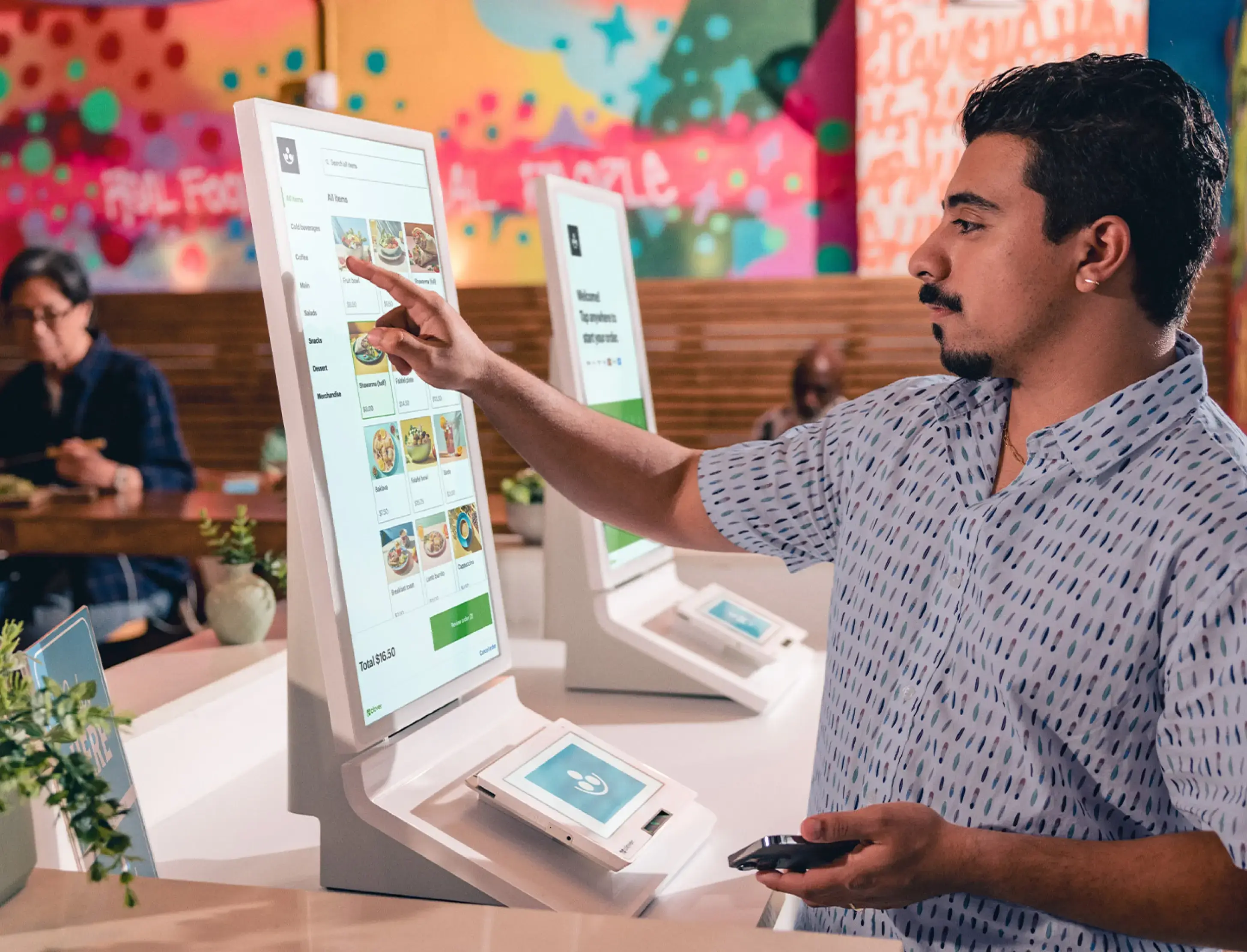
A kiosk gives customers another way to browse and submit an order. It can be useful where customers are comfortable using a screen and where reducing the number of orders entered at a staffed counter would help the service flow.
Clover Kiosk is a self-ordering device with a large display and built-in printer, according to the product overview. Whether a kiosk fits depends on the business, menu or product catalog, order handoff, and how staff will support customers who need assistance.
Plan placement and the order handoff
Choose a location that is easy to find without obstructing queues, entrances, or accessible routes. Check power, network access, mounting requirements, and how customers will move from browsing to payment and pickup.
Before installation, map what happens after an order is placed. Staff need a clear way to see incoming orders, prepare them, and resolve edits or questions. Confirm how the device integrates with the software and payment setup being offered.
Keep a staffed option available
Self-service should complement the service options that work for your customers. Consider keeping an employee-assisted checkout available and observe how customers use the kiosk after launch so you can refine placement and instructions.
View Clover Kiosk product details or contact our team to discuss your setup.
Related Posts

Two-Screen Checkout: What to Consider with Clover Station Duo
Learn how a customer-facing display changes the checkout counter and what to plan for a tw...
Read More
Taking Payments on the Move: A Guide to Clover Go
See how a phone-paired card reader can support pop-ups, field services, delivery, and othe...
Read More
Choosing a Countertop Terminal: Clover Compact Explained
A practical guide to evaluating a compact countertop terminal, receipt printing, counter s...
Read More